FLORIDA STATE UNIVERSITY
Problems? Email me at houpt@bio.fsu.edu
(requires fsuid login)
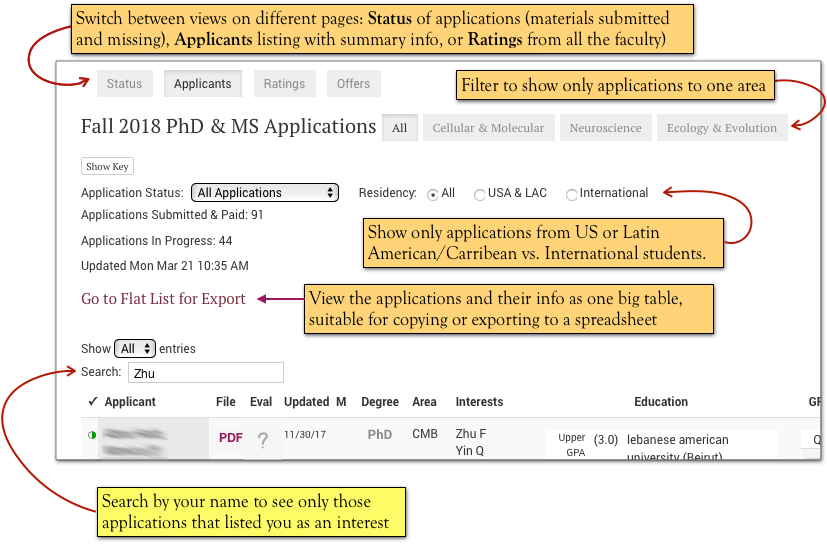
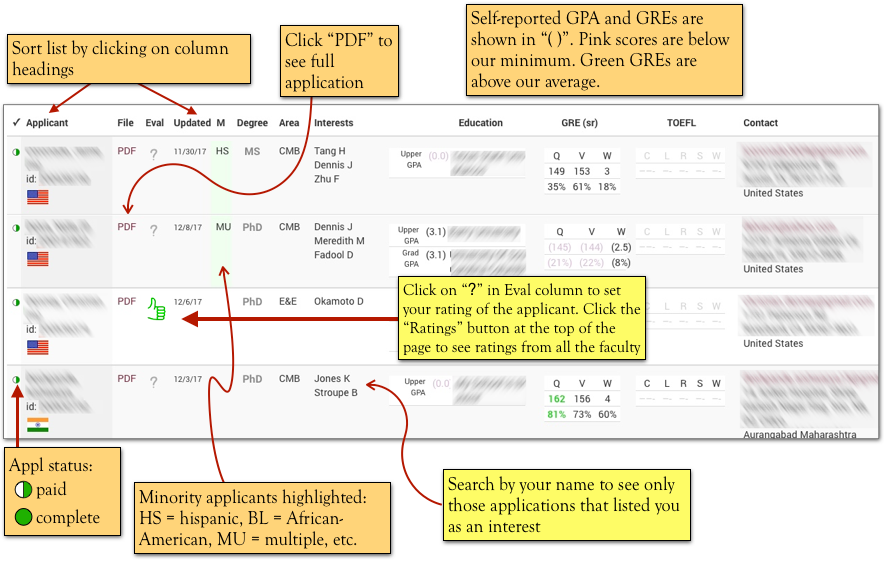
All the current applications started on the University site are listed. You can view the application PDF by clicking on the “PDF” link next to the name.
To see those applicants which listed you as a Faculty Interest, use the “Search” box. You can filter the applications in a number of other ways: by departmental area, USA/LAC vs. International, and application status.
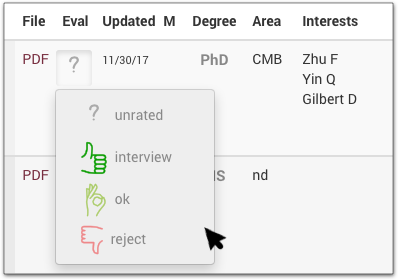
Applicants can be rated by clicking on the “?” in the “Eval” column. A pop-up menu will allow you to triage each applicant as “Interview”, “OK”, or “Reject”. Your ratings are saved for each applicant (but can be changed at any time), and made available for other faculty to see on the “Ratings” page.
The table can be sorted by clicking on the column headings. Minority candidates are highlighted with a green cell in the “M” column.
We do not require official transcripts until the student is admitted, and often official GRE scores have not yet received by the University admissions office: so GPAs and GRE scores self-reported by the applicant are shown parenthetically.
cd ..
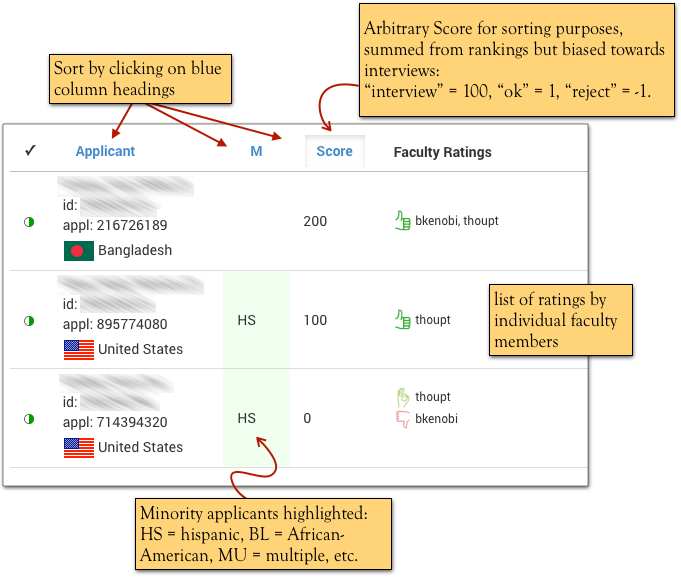
Click on the “Ratings” button at the top of the page to see the ratings of the applicants by other faculty. (Applicants that have not been rated by anyone are not shown on this page.) An arbitrary “Score” is calculated from the the individual faculty ratings, mostly just to allow sorting so that applicants with “thumbs-up” for interviews are guaranteed to come to the top, no matter how many reject or ok ratings they otherwise received. So don’t take the score too seriously.